How context works
QA Orchestra agents never hardcode your stack. They read one file — context/CONTEXT.md — and adapt to whatever is written there. This page explains exactly how that file gets into every agent, what it must contain, and which agent reads which section.
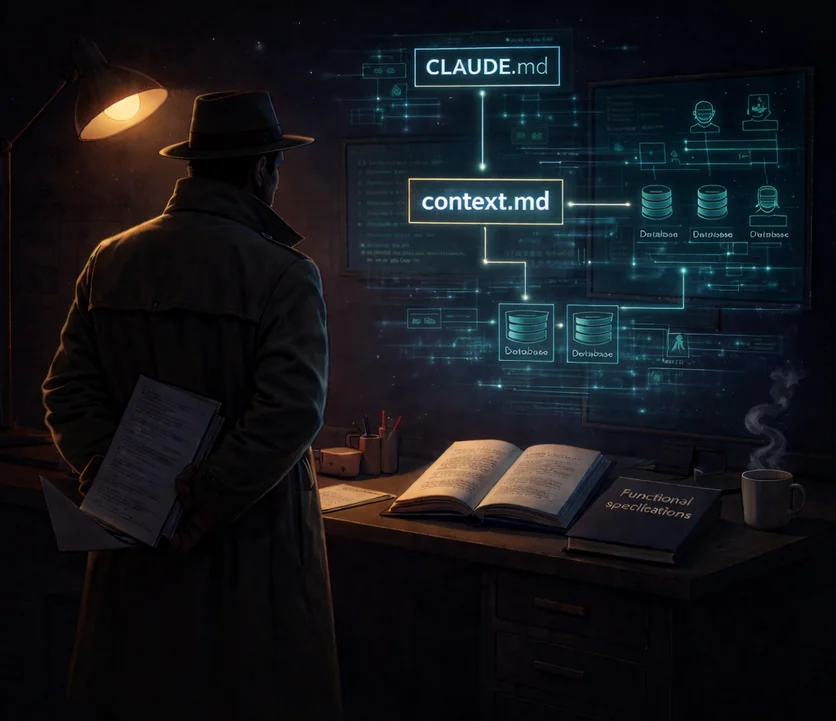
The mechanism in one diagram
@context/CONTEXT.md
4. Claude Code treats @path as an include and pulls context/CONTEXT.md into the system prompt
5. You invoke an agent, e.g. @functional-reviewer
6. The agent's own prompt (in .claude/agents/functional-reviewer.md) already sees the CONTEXT.md contents — no extra read needed
7. The agent picks out the section it cares about (URLs, commands, conventions) and starts work
This is static injection at invocation time, not dynamic retrieval. There is no vector database, no RAG, no embedding search. The file is literally prepended to the agent's prompt. If you want an agent to know something, write it in context/CONTEXT.md.
Setting up your CONTEXT.md
Start by copying the example and editing it in place:
# from the qa-orchestra root
cp examples/CONTEXT.example.md context/CONTEXT.md
Open context/CONTEXT.md in your editor and replace every placeholder with your project's real values. The file is committed to your repo — your teammates benefit from the same context.
The full schema lives at context/CONTEXT.schema.md. A filled example is at examples/CONTEXT.example.md.
Required sections
These seven sections cover 95% of what agents ask about. The schema is not enforced by a linter — agents degrade gracefully when a section is missing — but expect to be asked questions or see skipped steps if you leave something out.
| Section | What goes in it | Who reads it |
|---|---|---|
## Application Under Test |
App name, type, stack, local URLs, test credentials | environment-manager, browser-validator, all reviewers |
## Repositories |
Table of every repo agents may touch: URL, local path, purpose | environment-manager, release-analyzer, functional-reviewer |
## Environment Setup |
Shell commands to bring up DB, deps, migrations, seeds, backend, frontend | environment-manager |
## Health Check |
Per service: terminal URL, content markers, log sentinel | environment-manager (required for live validation) |
## Automation Framework |
Language, framework, runner, file naming, run command, tags | automation-writer, smart-test-selector, manual-validator |
## Project Management |
Ticket system, AC format, bug severity scale, branch naming | bug-reporter, orchestrator |
## Preferences |
Output language, tone, terminology overrides | every agent |
Health Check deserves special care
The ## Health Check section decides READY vs NOT READY for the environment-manager. A status code alone is not enough — a page could return 200 while rendering an error screen. Give three signals per service:
- Terminal status URL — a URL that, after any redirects, returns 200
- Content markers — strings the response body must contain (a heading, a
data-testid, a known JSON field) - Log sentinel — the log line that means the dev server is actually serving requests
The richer this section, the less the agent has to guess — and the less likely a false READY verdict poisons downstream steps.
Optional sections
Useful when present, skipped silently when absent:
## Custom Features— project-specific endpoints, modules, or capabilities worth naming## Products & Categories/## Domain Data— seed data summary, sample record counts## CI/CD— pipeline, environments, test execution in CI## Quality Standards— definition of done, regression scope, release gates## MCP Servers— project-specific MCP configuration notes
What agents do NOT hardcode
Every agent is written to look up project details from CONTEXT.md, never from inside its own prompt. This is what makes QA Orchestra stack-agnostic. Agents do not assume:
- Toolchain — npm, pytest, cargo, maven. The run command comes from Automation Framework.
- Repo layout — the paths come from Repositories.
- Health endpoints — URLs and markers come from Health Check.
- Severity scale — Critical / Major / Minor / Trivial is a default, but your Project Management section overrides.
- Output language — English by default, overridden by Preferences.
If you're writing a new agent and it needs something the schema doesn't define, add it to the schema as an optional section rather than hardcoding a default. See creating a new agent for the full authoring flow.
Beyond CONTEXT.md: annotations
CONTEXT.md is for facts you can write down when you set up the project. But agents often discover project-specific behavior during a task — a service quirk, a test pattern, a business-logic nuance. Those go into context/annotations/, which grows over time as agents hit surprises.
Read the learning loop page for how that works — spoiler: it's a discipline, not an automated memory system.
Next
- The learning loop — how agents accumulate project-specific knowledge
- Creating a new agent — add your own specialist to the pipeline
- CONTEXT.md schema on GitHub
- Filled example on GitHub